Your family’s cloud, in your home.
Two small devices that keep your family’s photos, files, calendars and screen-time rules at home: a router that makes the internet safer for every device in the home, and a server that runs your family’s private apps. They arrive already set up.
- A$599 once, hardware included
- Optional Home Care plan, A$9.95/mo
- Arrives ready to go, set up in minutes
- Works without a subscription
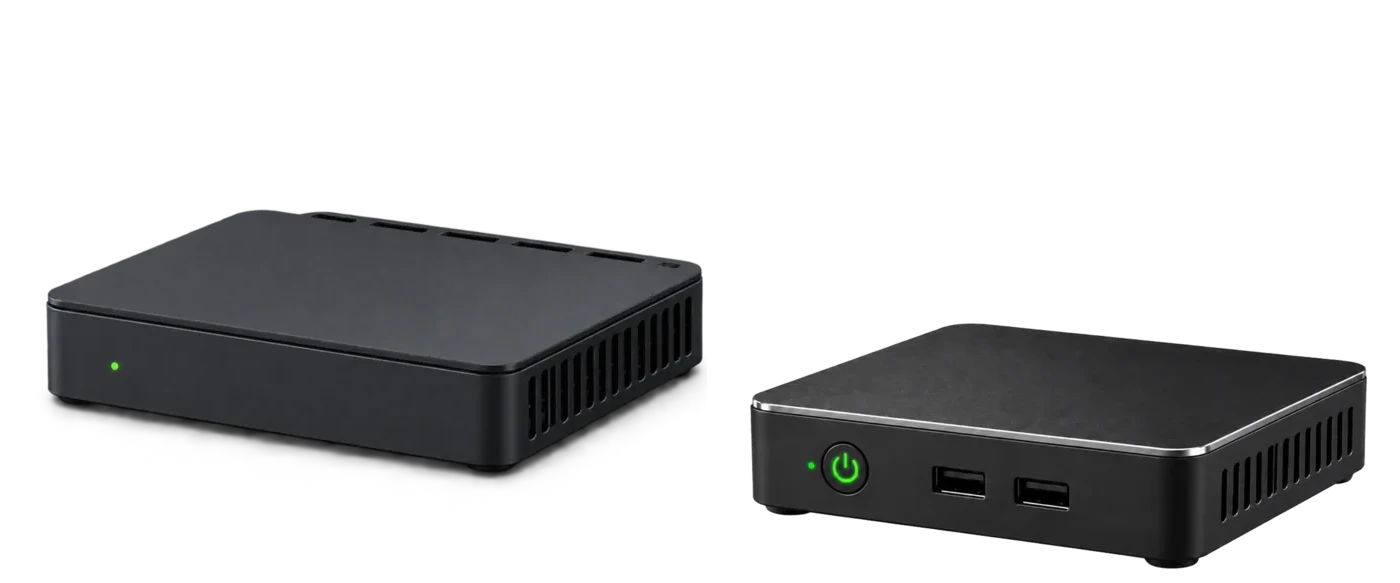
The two appliances, side by side. Design renders; the production casing and final proportions may differ.
Where we’re up to, September 2026
The Home Cloud is well under way. Every service on this page has been running in a real family home for years, the hardware for both appliances has been chosen, and the first prototype server is being tested now. Most of what is described here works and can be demonstrated today.
Working today
- Network-wide filtering of ads, trackers, malware and adult content
- Bedtime rules that hold on real children’s devices
- The family photo library, file storage, notes and wiki, calendars and contacts
- The dashboards that manage all of it
A working system, used every day by a real family, now being turned into a product you can plug in.
Building now
- The two appliances: hardware chosen, the first prototype server under test, the Guardian router next
- One home dashboard in place of a dozen admin screens
- Curfew settings in everyday words: bedtime and school night, not technical settings
- Guided setup, so it arrives working
- The App Store, and pairing the two units before they ship
- The Home Cloud app for iPhone: your photos back up to the box at home while your phone charges
This is product work, not research: the platform already runs, and each of these turns another piece of it into something a household can use.
Hardware: components chosen for both appliances. The first prototype
server is being tested now, with the Guardian router next. Photos of the
prototypes go on this page as they come off the bench.
First production run: date to be announced once the prototype is
finalised. It will be small, and people who register their interest get
first access to the demo, the beta and the first batch.
What a Home Cloud is
Your photos, documents, messages and even your children’s screen-time rules currently live on other people’s computers. The Home Cloud brings them home. It is two devices that replace a stack of cloud subscriptions with one system you own outright, in your own home.
The Guardian router
A business-grade Wi-Fi router and access point that becomes your home network’s front door. It blocks ads, trackers, malware and adult content for every device in the home, including TVs and consoles, and it enforces your family’s rules at the network itself. A child can factory-reset their phone, install a VPN or change its DNS settings, and the rules still hold.
Everything is managed from the home dashboard. There is no terminal, no config file and no jargon. If the Home Cloud goes offline, your internet keeps working normally.
Included with every Home Cloud
The A$599 buys the whole product. Every appliance ships with the full core platform, and it works from day one, with or without Home Care.
Curfew parental controls
Bedtimes, school nights, wind-down periods and “pause the internet”, enforced at the router. Described in detail below.
Safer internet for the whole home
Network-wide blocking of ads, trackers, malware, phishing and adult content, plus safe search. Every device is covered and there is no software to install on any of them.
Private photo library
The family’s phones back up their photos to the server on your shelf, at home, while they charge. Shared albums stay between you and the people you share them with.
Family files & documents
A private Drive-style app for school notes, tax records, scans and everything else, reachable from any device in the home.
App Store
A small, curated catalogue of apps. Each one is tested, supported and updated, and adding one takes a single tap.
A profile for every family member
Everyone gets their own account and space. Devices belong to people, so rules and photos follow the person rather than the gadget.
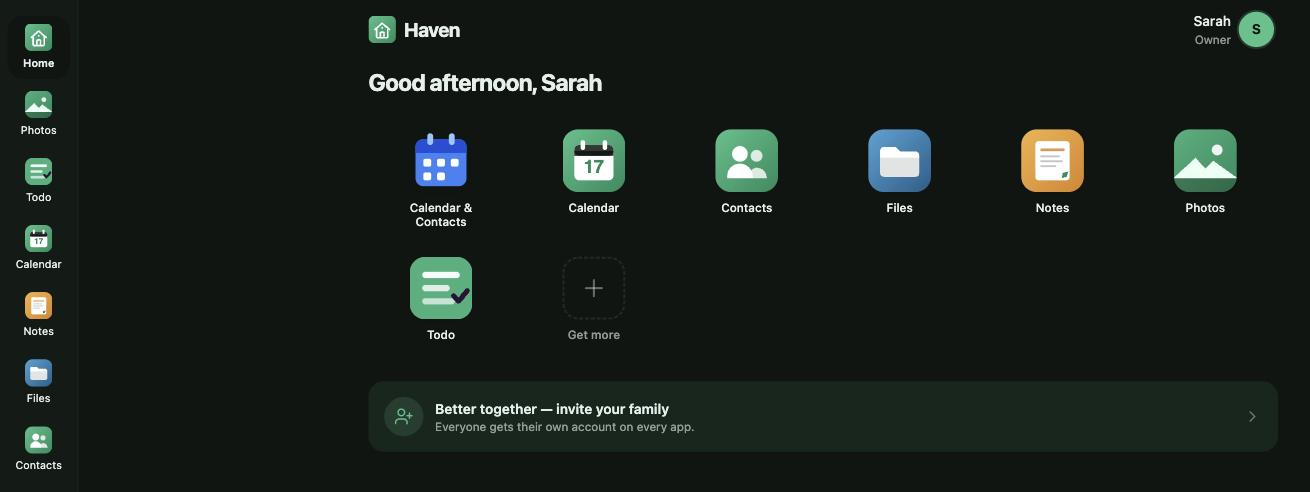
The home dashboard. Every app in the home is one tap away, and each person signs in to their own account on every one of them.
Curfew — bedtime that actually happens
Screen-time apps ask nicely. Curfew enforces. Because it runs in the router rather than on the child’s device, the rules hold even if the device is factory reset, a VPN is installed, or the DNS settings are changed. After lights-out there is simply no internet.
- A profile for each child, with their devices assigned to them
- School-night and weekend schedules, wind-down periods, morning resume
- “Give 30 more minutes” and “Pause the internet now”, one tap each
- Age-appropriate content filtering per child
- New unknown devices are restricted until a parent approves them
- Keeps enforcing even when your internet is down
The settings are written in everyday language: bedtime, school night, wind-down. You will not see the words firewall, port or DNS.
Emily, age 11
Movie night running long? Tap “+30 minutes” from the couch.
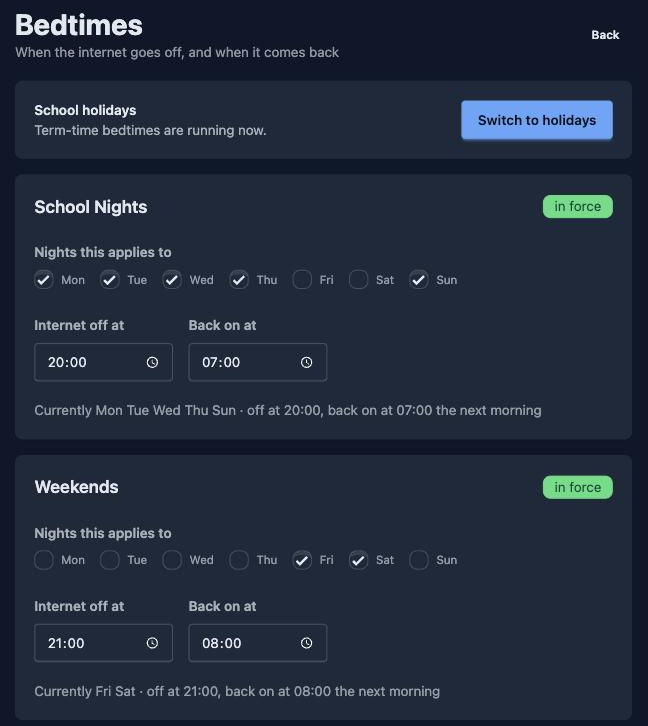
Setting the schedule. School nights and weekends, in the words a family actually uses.
Yours, with or without us
The Home Cloud is yours for good. It keeps working whatever happens to us, which is more than most connected products can say.
Your apps and your data live in your home and keep working, even if you never pay us another cent.
Home Care pays for the things that genuinely need our infrastructure or our ongoing attention: tested updates, current protection lists, health monitoring and configuration backup, and later off-site encrypted backup, remote access and domains. Cancel it and the appliance keeps doing everything local, indefinitely: Curfew, filtering, photos, files and apps.
Your Home Cloud is reachable from the internet only when you switch it on. We cannot see your files, and we collect as little as we can, because the entire point of this product is that you should not have to trust us with it.
Everything stored on the Home Cloud server is encrypted, and the key that unlocks it is sealed to your own box, so a drive pulled out of it, or a box running anything other than Home Cloud software, cannot read it. At setup you are shown one recovery key. You hold it; we never do. Backups, to a USB drive now and to our off-site service later, are encrypted on the appliance with that key before they leave your home, so anything we ever store for you is unreadable to us.
Price
A$599
once, hardware included
Both devices, the full core platform, and every local feature on this page. No subscription is required for any of it, now or later.
For comparison: a family renting 2 TB of cloud storage pays somewhere between A$10 and A$15 a month, every month, indefinitely. A$599 is roughly four years of that, and at the end of four years the hardware, and everything on it, is still yours.
Launch pricing, indicative, inclusive of GST.
Ready out of the box
There is nothing to install. Your Home Cloud arrives with everything on it and already knows who it belongs to, so setting up your home takes a few guided minutes.
- Plug it in Connect the Guardian router to your NBN or ISP modem with the supplied cable, and the Home Cloud server to the router.
- Power on Both devices start up and find each other automatically.
- Scan the QR code Your phone opens the guided setup. Pick your Wi-Fi name and password, and set up your home.
- Add your family The Home Cloud finds the devices in your home. Assign them to people, set Curfew schedules, done.
| Setup option | Best for | Price |
|---|---|---|
| Set it up yourself | Most homes. Guided, with automatic checks along the way | Included |
| Remote-assisted setup | Tricky ISP setups, or anyone who would like a human on the line | A$50 |
The hardware, plainly
Proven components, chosen for years of silent, reliable service. Final specifications will be confirmed with the first production run.
- Form factor
- Two compact appliances: a Wi-Fi router/access point and a fanless mini server. Both fit on a bookshelf.
- Processor
- Modern quad-core Intel (x86-64), enough for a busy home’s apps and media
- Storage
- NVMe solid-state, from 200 GB. Larger configurations at purchase; expansion coming
- Networking
- Gigabit wired Ethernet plus dual-band Wi-Fi for the whole home
- Power draw
- About the same as a nightlight, a few dollars a year
- Software
- Pre-installed and signed. Updates are tested, staged and reversible.
- Recovery
- Built-in known-good recovery image and guided factory reset
- Warranty
- Full Australian consumer guarantees apply
Front and rear. Design renders shown with a mug for a sense of size; the production casing and final proportions may differ.
Who it’s for
Two other uses come up often enough to mention: running a small business or home office from the kitchen table, and providing a dependable private hub for a household with accessibility or care needs. Both work today. Home automation and remote access for carers are coming later.
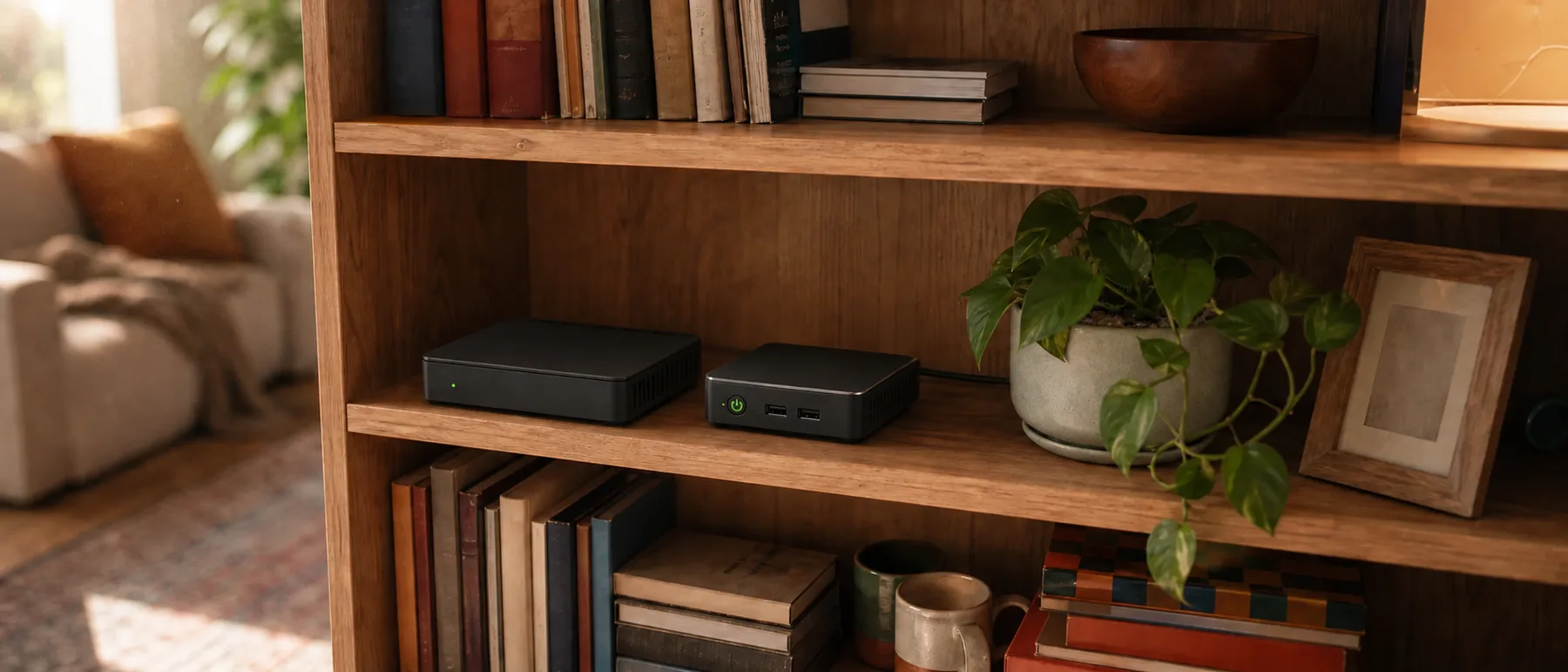
Where they end up: a shelf in the living room, among the books, quietly looking after themselves.
Questions people ask us
What am I actually getting for A$599?
Hardware you own outright, the Guardian router and the Home Cloud server, with the full core platform installed: Curfew, network-wide protection, photos, files, wiki and notes, calendars, the home dashboard and the App Store.
Is it software, hardware, or both?
Both, designed together. That integration is the part a pile of parts and a weekend of tutorials cannot give you.
Where do they go in the home?
Wherever your internet comes in. The Guardian plugs into your NBN or ISP modem with the supplied cable and becomes your home’s Wi-Fi, so the pair sits beside that connection. Both are small and quiet enough to leave out on a shelf. If your NBN box is tucked away somewhere awkward, a single Ethernet cable brings them back to a spot that suits you.
Does it depend on your company’s servers?
No. Everything essential runs in your home and keeps working if your internet is down, your subscription has lapsed, or our servers are unreachable. Our infrastructure is only involved in the optional services that inherently need it.
Can Self Hosted see my data?
No. Your data is encrypted on the appliance with a key that lives in your home and is never sent to us. Off-site backups are encrypted before they leave, so the only thing we can ever hold is data we cannot read. Support can help you run the box; it cannot look inside it.
How do I see and change what’s running on it?
Through the home dashboard, which shows your people, devices, apps and storage. Adding an app is one tap in the App Store and removing it is one tap too. You never see a container, a config file or a command line.
Is 200 GB enough? What about my music and movies?
200 GB comfortably holds a family’s photos, documents and apps. Larger configurations will be available at purchase, and an expansion option for existing Home Clouds is coming. You are never charged monthly for your own memories.
Can I try it before I buy it?
Soon. An online demo of the home dashboard and its apps, plus a walkthrough video from unboxing to bedtime schedule, are in the works. Register your interest below and you will be among the first to see them.
I already run my own server. Is this for me?
Probably not. If you are comfortable with Docker, DNS and reverse proxies, you can build most of this yourself, and you may enjoy it. The Home Cloud is for the households that people like you keep doing this for. A developer SDK and a third-party app program are coming later, so it may interest you then.